
供应商付款 – 通过 Stripe Connect 手动和自动付款
发表于 December 17, 2024
当您的业务成长时,向供应商处理付款和管理财务可能会变得具有挑战性。但请别担心——Selldone 使这个过程变得更加简单。一旦您在商店仪表板 > 设置 > 商业模式中将您的商店的商业模式设置为市场,您将解锁强大的供应商付款选项。
首先,与其他平台不同,Selldone 不会收取您的收入或限制您处理付款的方式。您有两个主要选项:

Flow of payments and vendor payouts in your marketplace.
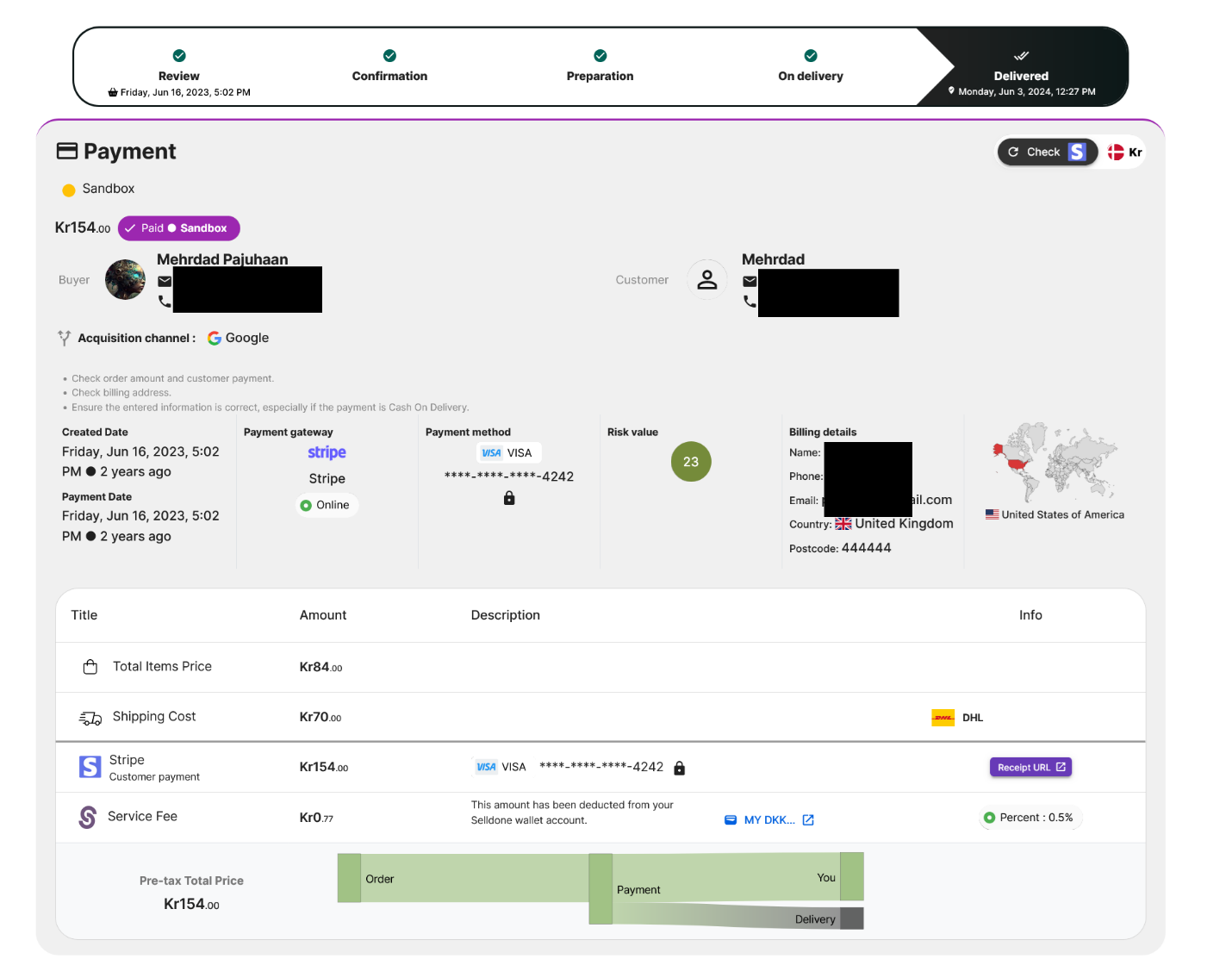
Payment details of a received order in your marketplace.
履行创建:
Selldone 为供应商创建履行。
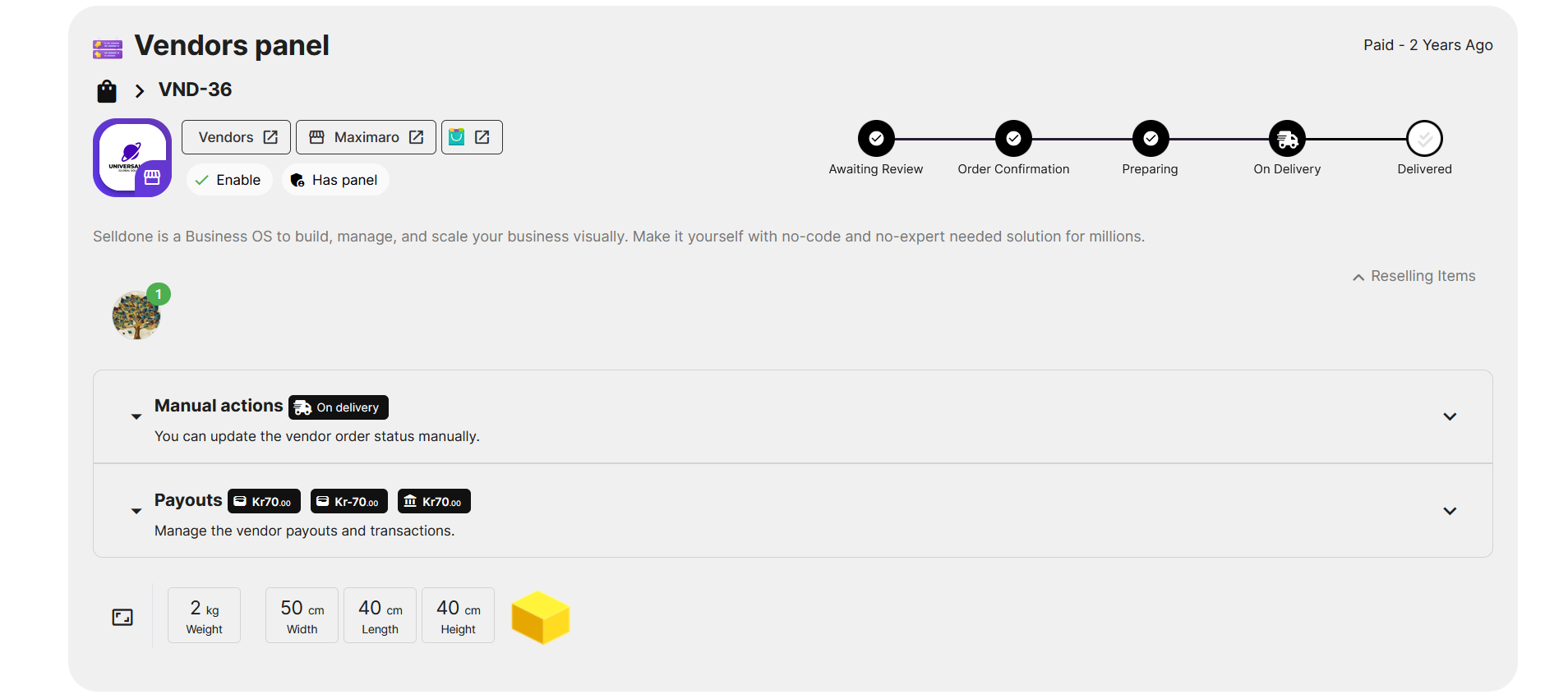
A fulfillment detail in the order page. Selldone 然后向供应商的虚拟钱包收取 +70DKK(例如),代表供应商从该订单中获得的收益。
因为供应商之前连接了他们的 Stripe 账户,所以 Selldone 会自动将 70DKK 从您的 Stripe 账户转账到供应商的 Stripe 账户。您将看到一条 -70DKK 的付款记录,这显示资金从他们的虚拟钱包中流出(会计)并转移到他们的 Stripe 账户(实际资金)。
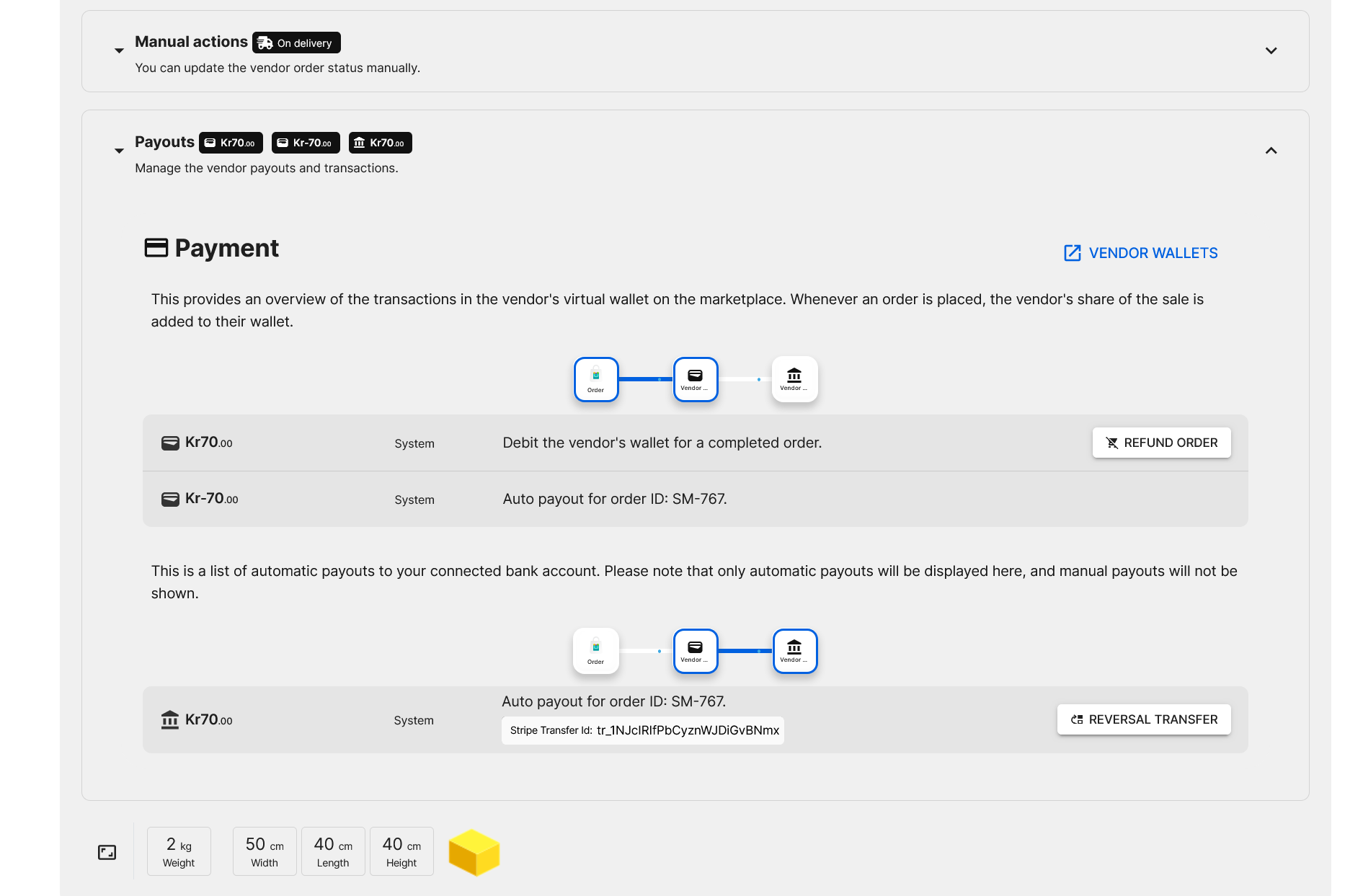
Payout details in the fulfillment section of a vendor on the order page.
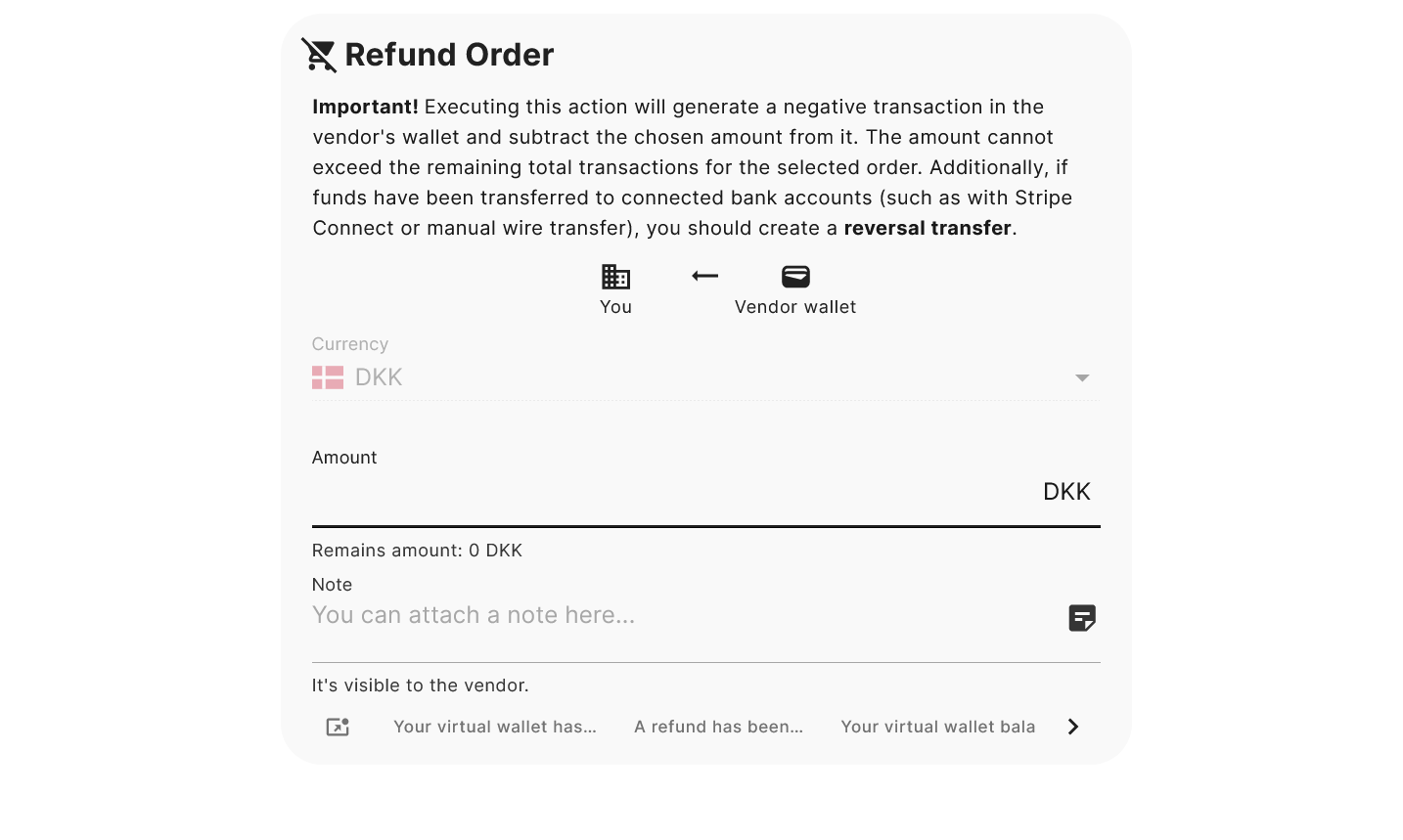
Refund partial or full fulfillment – records an accounting withdrawal from the vendor's virtual wallet.
接下来,如果您需要从供应商那里收回真实资金,您可以进行逆转转账。这会“撤销”之前的付款,有效地从供应商的 Stripe 账户中检回资金并调整他们的虚拟钱包以保持一切平衡。
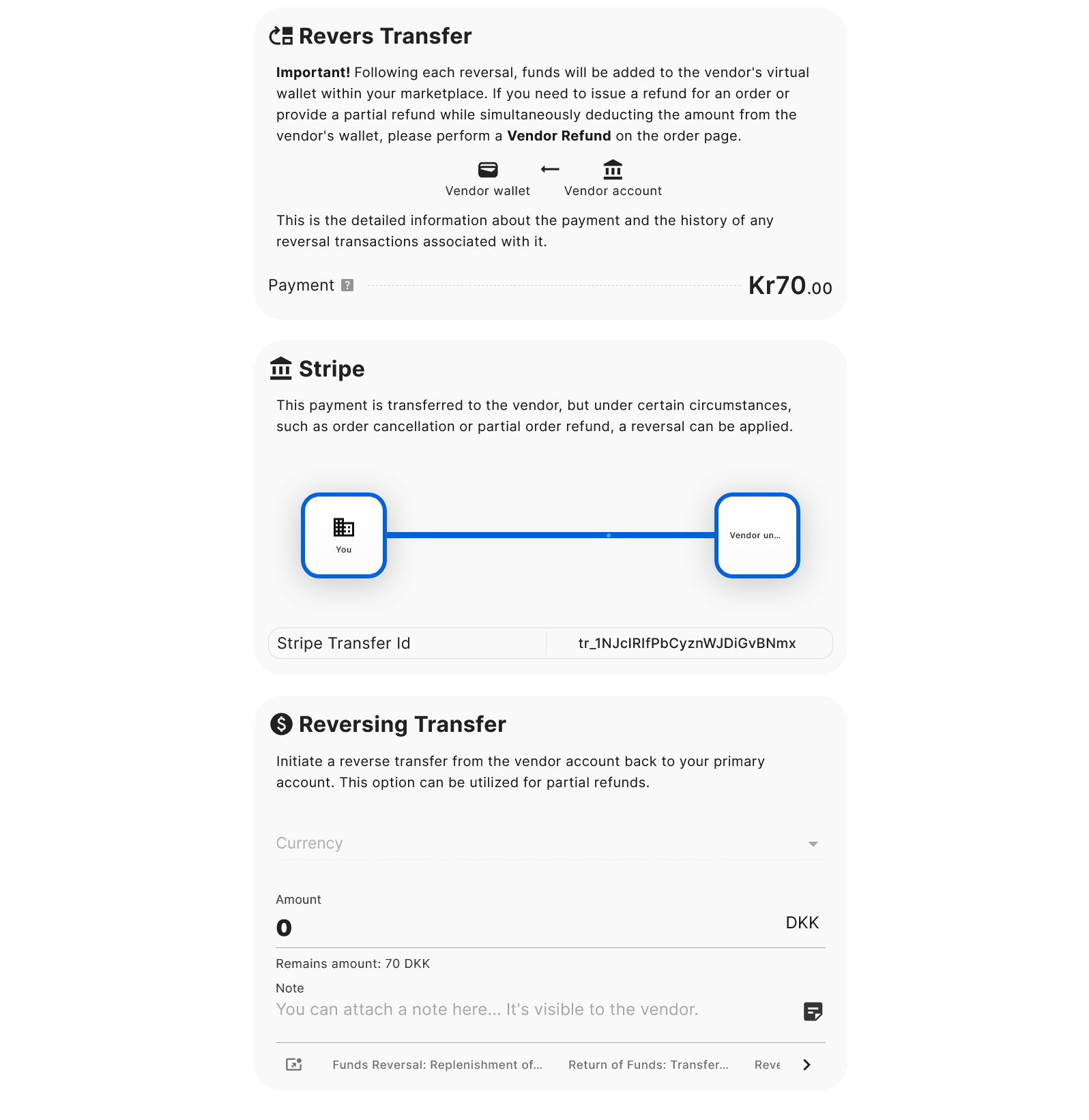
Reverse Transfer fund by Stripe – transfers funds from the vendor's Stripe account to my Stripe account. 当您执行逆转转账时,Selldone 从供应商的 Stripe 账户中取回资金并相应地给予他们的虚拟钱包信用。为什么要给予他们的钱包信用?因为会计标准:想象一下一个场景,您退还了 50DKK 的履行费用。首先,您从供应商的钱包中免除 50DKK(退款操作),如果需要,您还可以逆转从供应商的 Stripe 账户将 50DKK 转回给您。这次逆转将 +50DKK 加入他们的虚拟钱包,保持帐目平衡为零。实质上,它确保供应商实际没有收到那 50DKK,因为它在这些步骤中被添加又被撤回。
多供应商市场的会计可能会很复杂,但 Selldone 让它变得简单,几乎就像奇迹一样!
要做到这一点,请转到 商店仪表板 > 市场 > 付款 并点击 充值供应商账户。 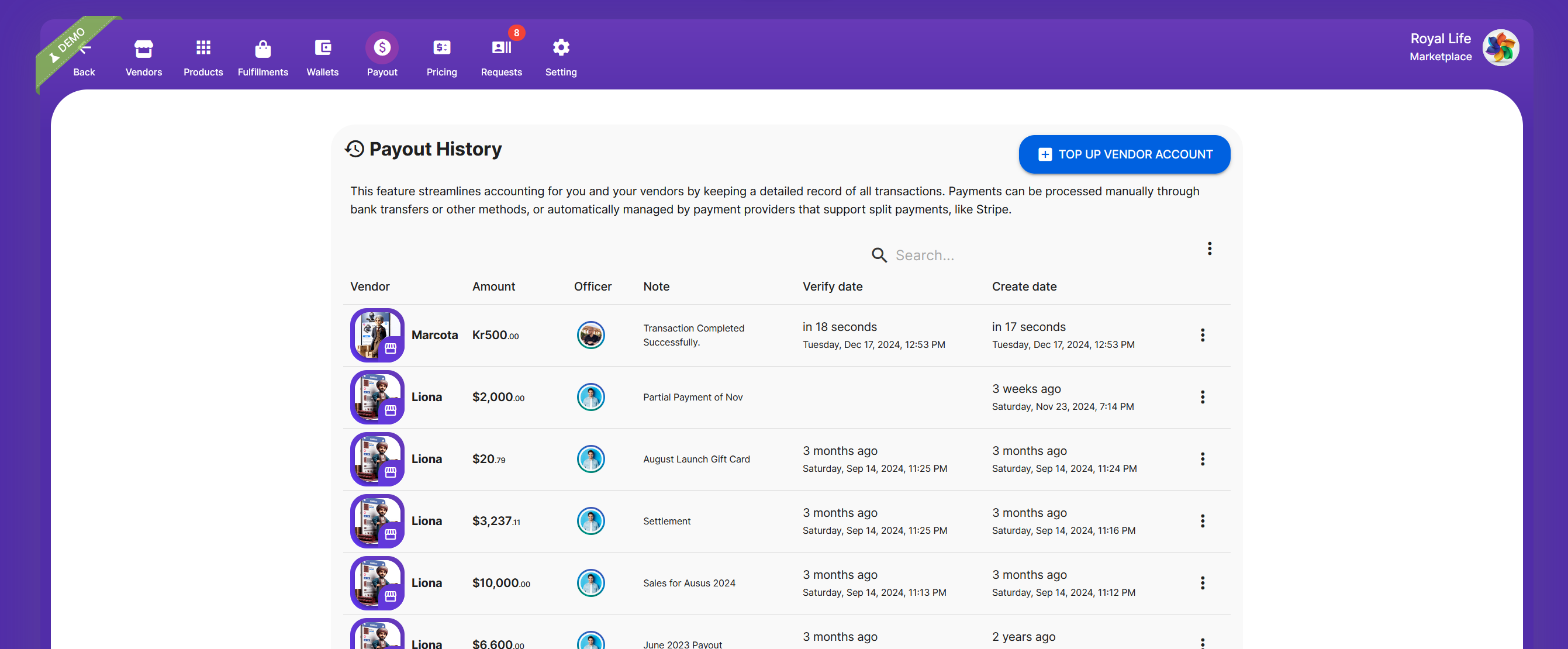
Payout history in the marketplace panel. All payout records and transactions are displayed. 此功能保留详细的所有交易记录,供您和您的供应商查看。付款可以通过银行转账手动进行,或者通过支持分账付款的提供商自动进行(如 Stripe)。使用手动付款,您拥有完全的灵活性。
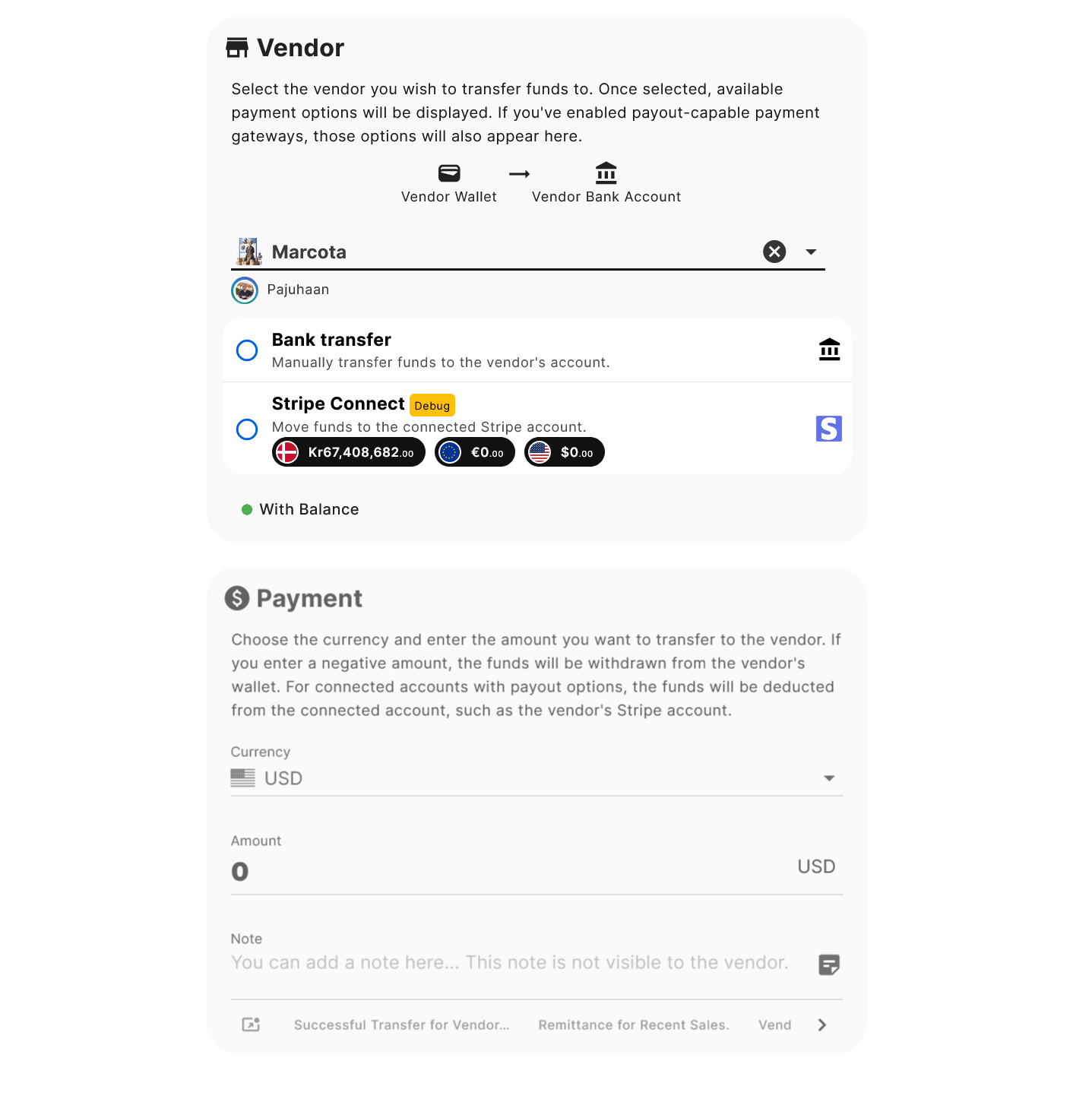
Manual payout form to transfer funds to a vendor - payout.
默认情况下,手动付款始终提供银行转账选项。如果供应商已连接他们的 Stripe 账户,您还将看到 Stripe Connect 选项,可以直接从您的 Stripe 转账真实资金到供应商的 Stripe。例如,如果您向供应商支付 500DKK,它将在您的 Stripe 仪表板中记录:
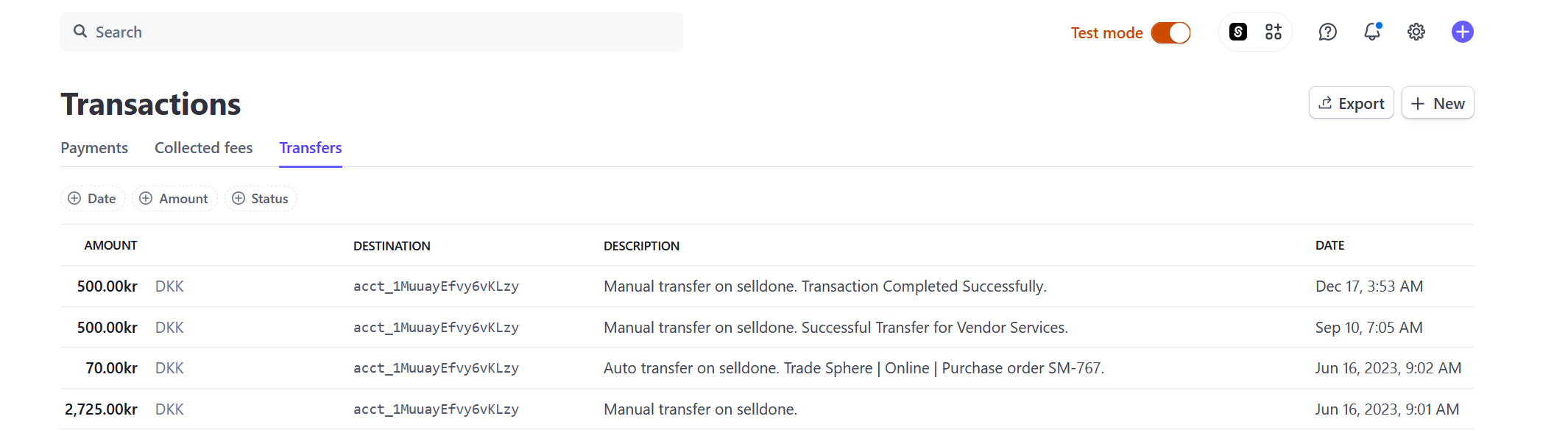
Stripe payout record showing details of the transferred funds.
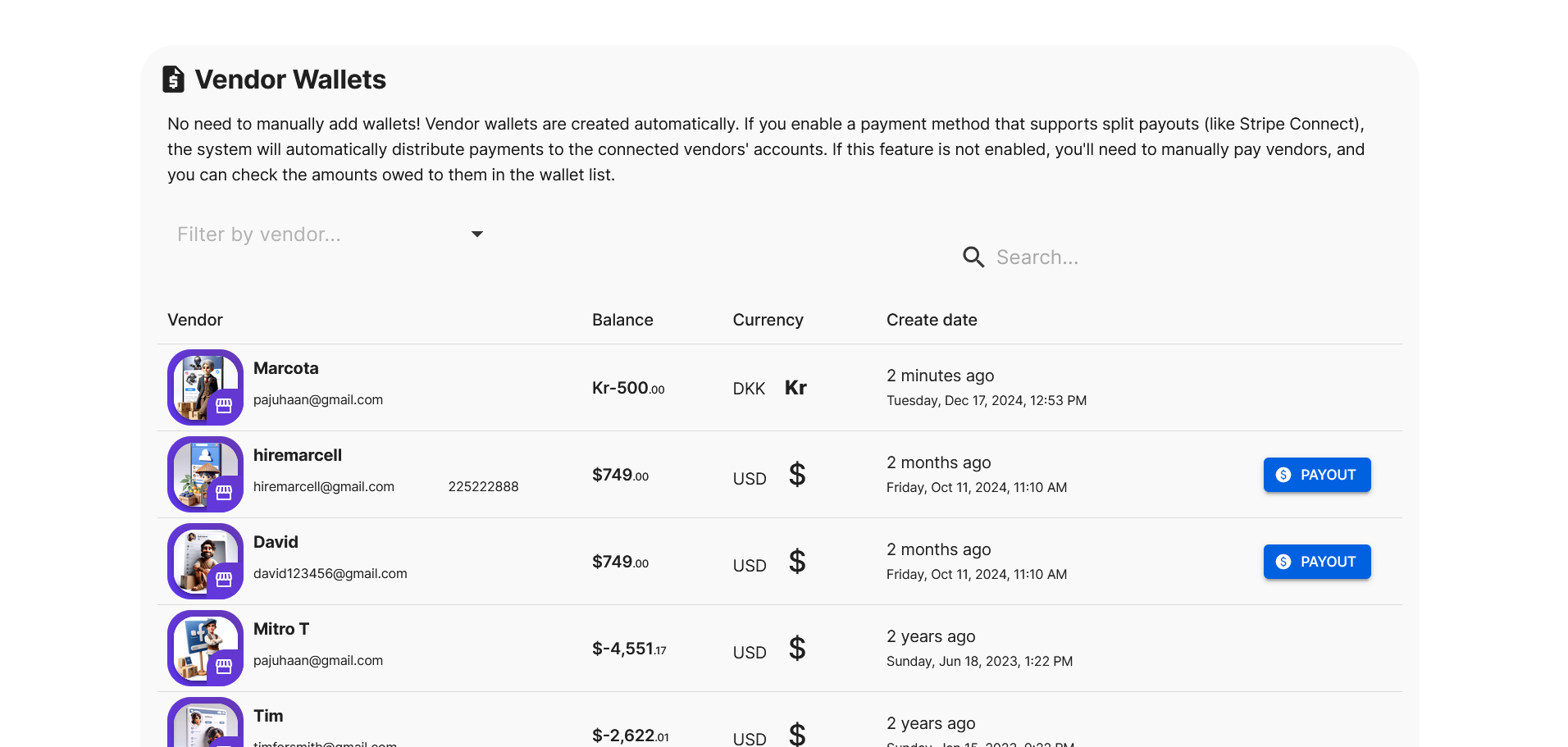
All vendor wallets in the marketplace panel, displaying balances and transaction histories. 单击付款按钮会自动填充付款表单,使这个过程变得简单。这个同样的付款选项也可以在订单页面中找到。选择对您最方便的方法。
重要:您市场中的供应商虚拟钱包与 Selldone 中的用户钱包是分开的。它们没有关联。
要了解更多详细信息,请查看使用 Stripe Connect 在您的多供应商市场自动处理供应商付款的 5 个简单步骤.
进入 商店仪表板 > 会计 > 网关,然后在网关设置 > 市场自动入驻和付款中启用市场功能。
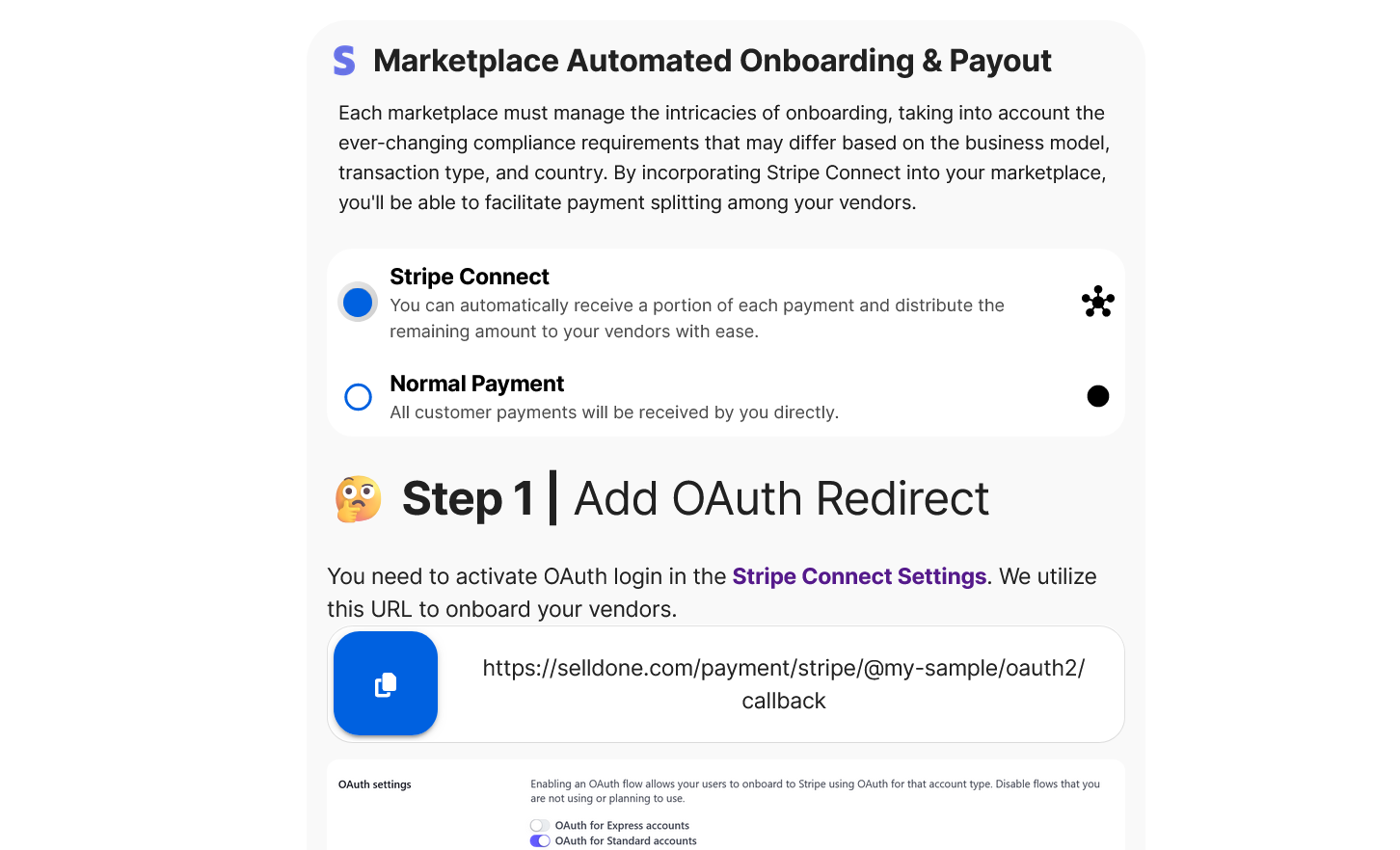
Set up Stripe Connect and enable onboarding for vendors.
重要:
您必须手动输入您的公共和私有 Stripe 密钥。您不能使用 Selldone 自动生成的 Stripe Connect 密钥。从您的 Stripe 账户中获取这些密钥。
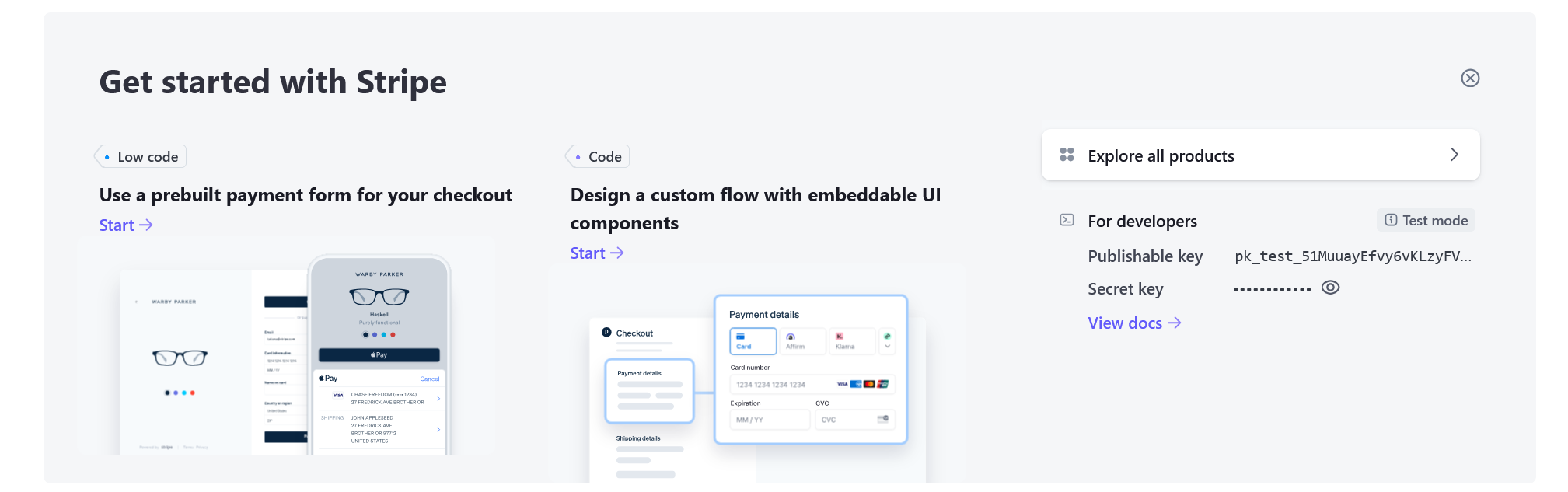
Retrieve the public and secret keys from your Stripe account.
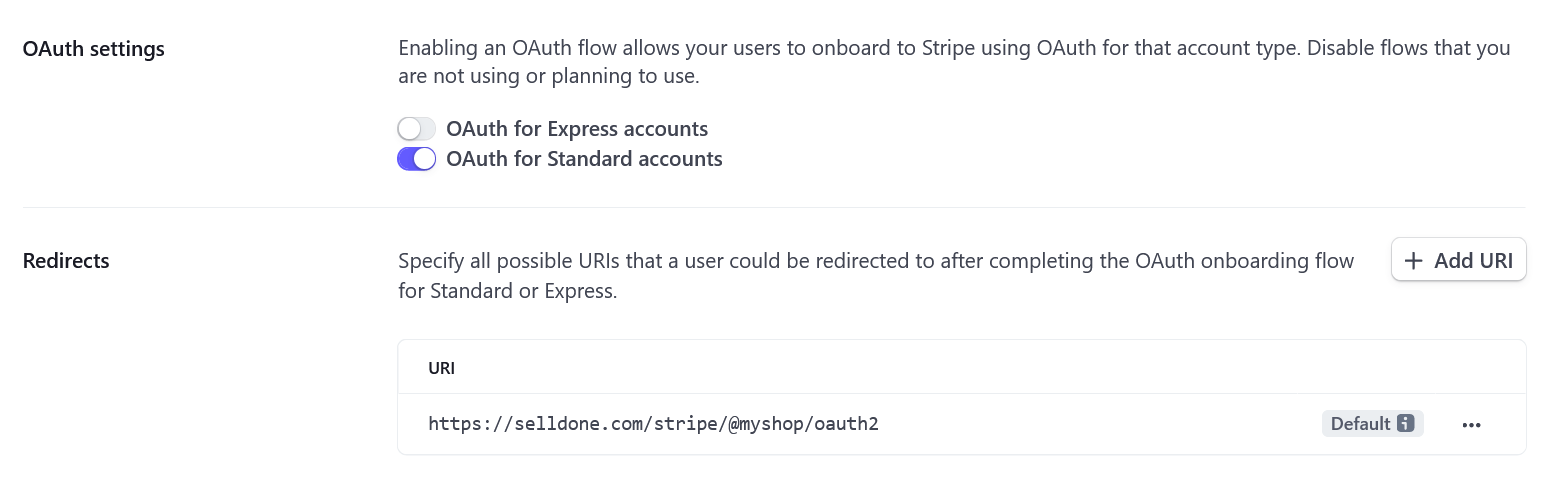
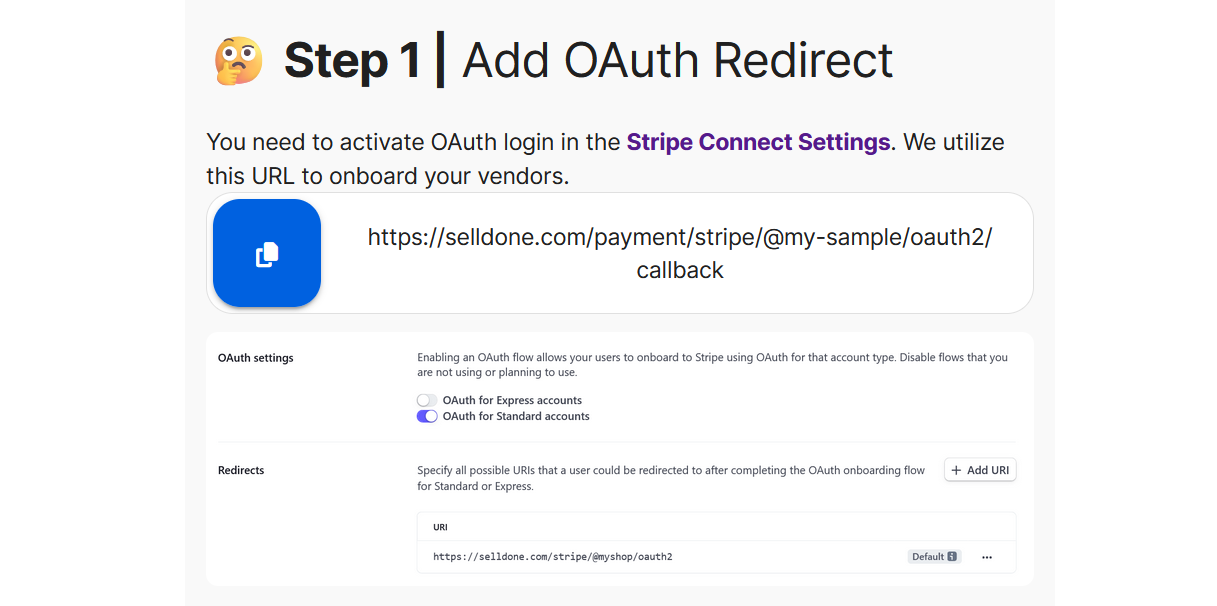
Get the OAuth callback URL to set in Stripe Connect settings.
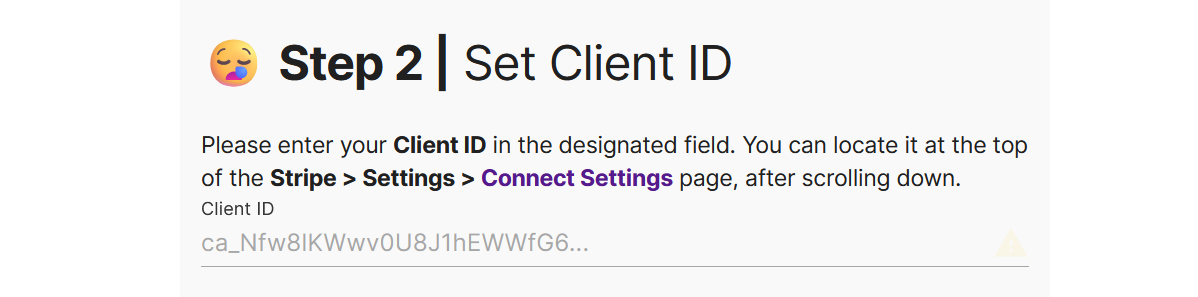
Set the Client ID - get it from your Stripe account.
重要提示:
设置您的 Stripe 付款为“手动”,以保留对您的资金和供应商付款的控制。要做到这一点,请转到Stripe > 设置 > 外部付款账户和调度。
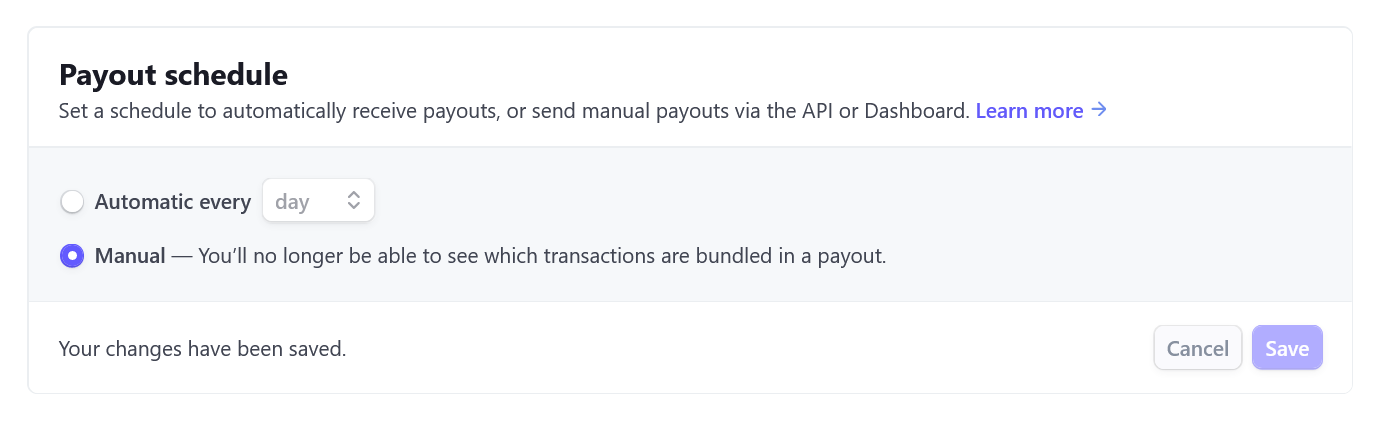
Set manual payouts to yourself in Stripe to maintain better accounting control.
现在 Selldone 可以在供应商面板中创建入驻链接。
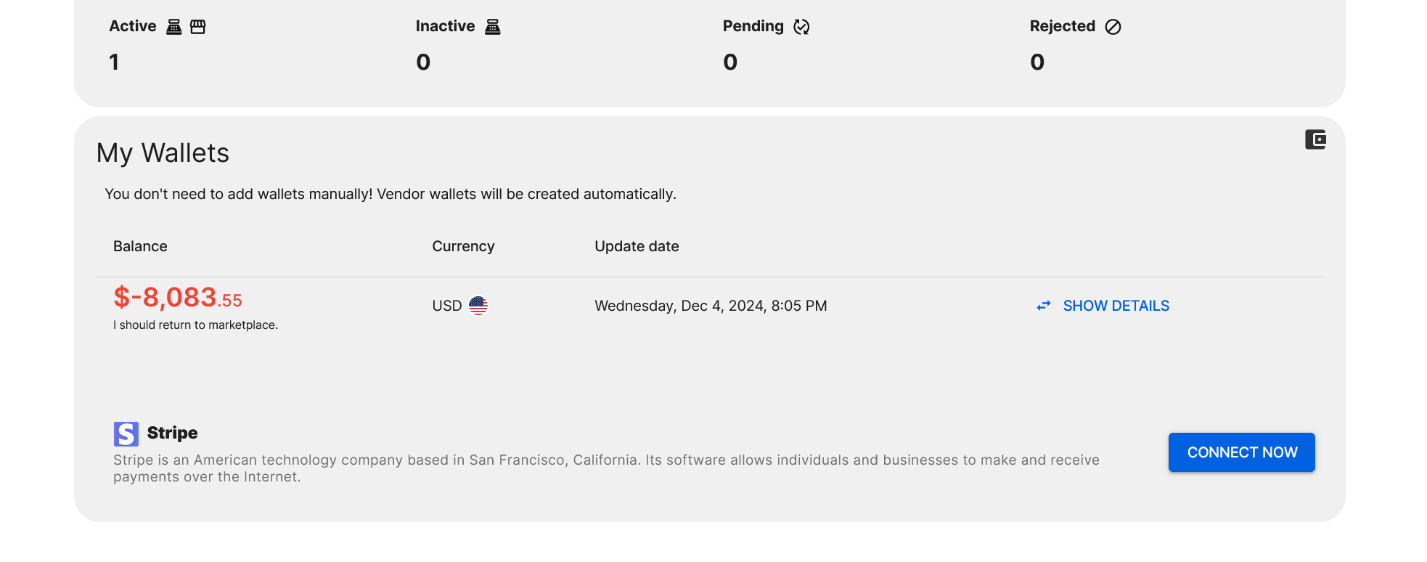
A vendor's wallet in the vendor panel, showing balance and transaction details.
供应商将单击“立即连接”并在 Stripe.com 上完成入驻。
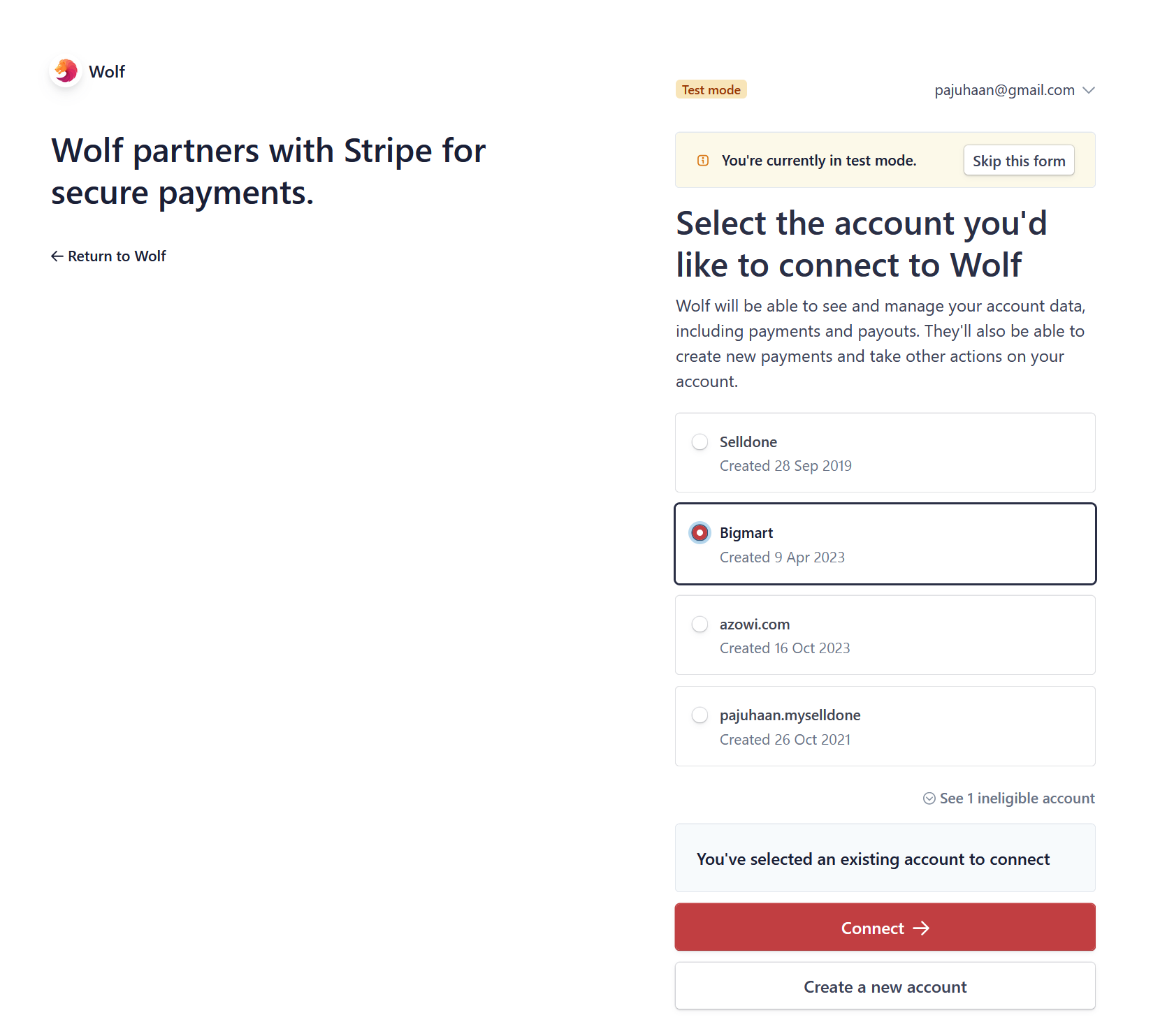
Stripe Connect onboarding.
完成!您现在可以接受客户的付款并轻松支付给供应商。
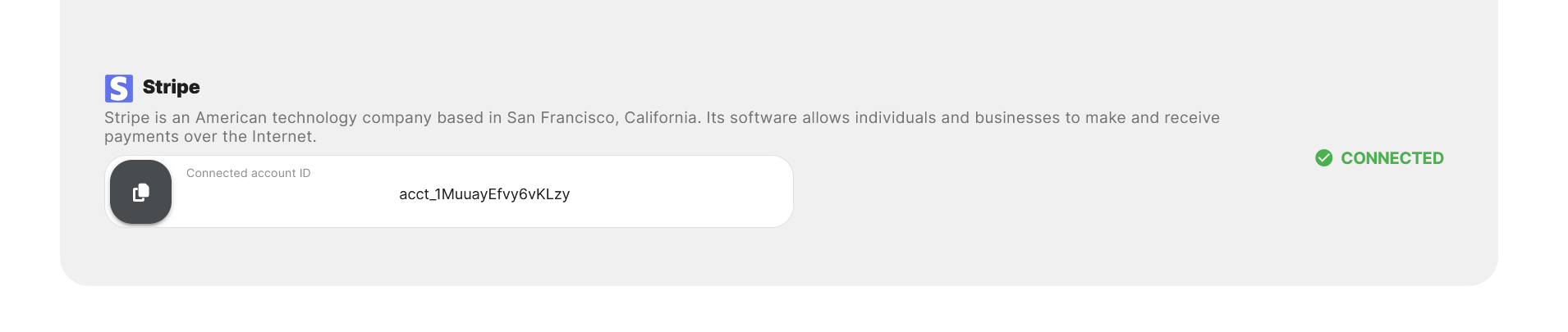
Connected Stripe in vendor's panel.
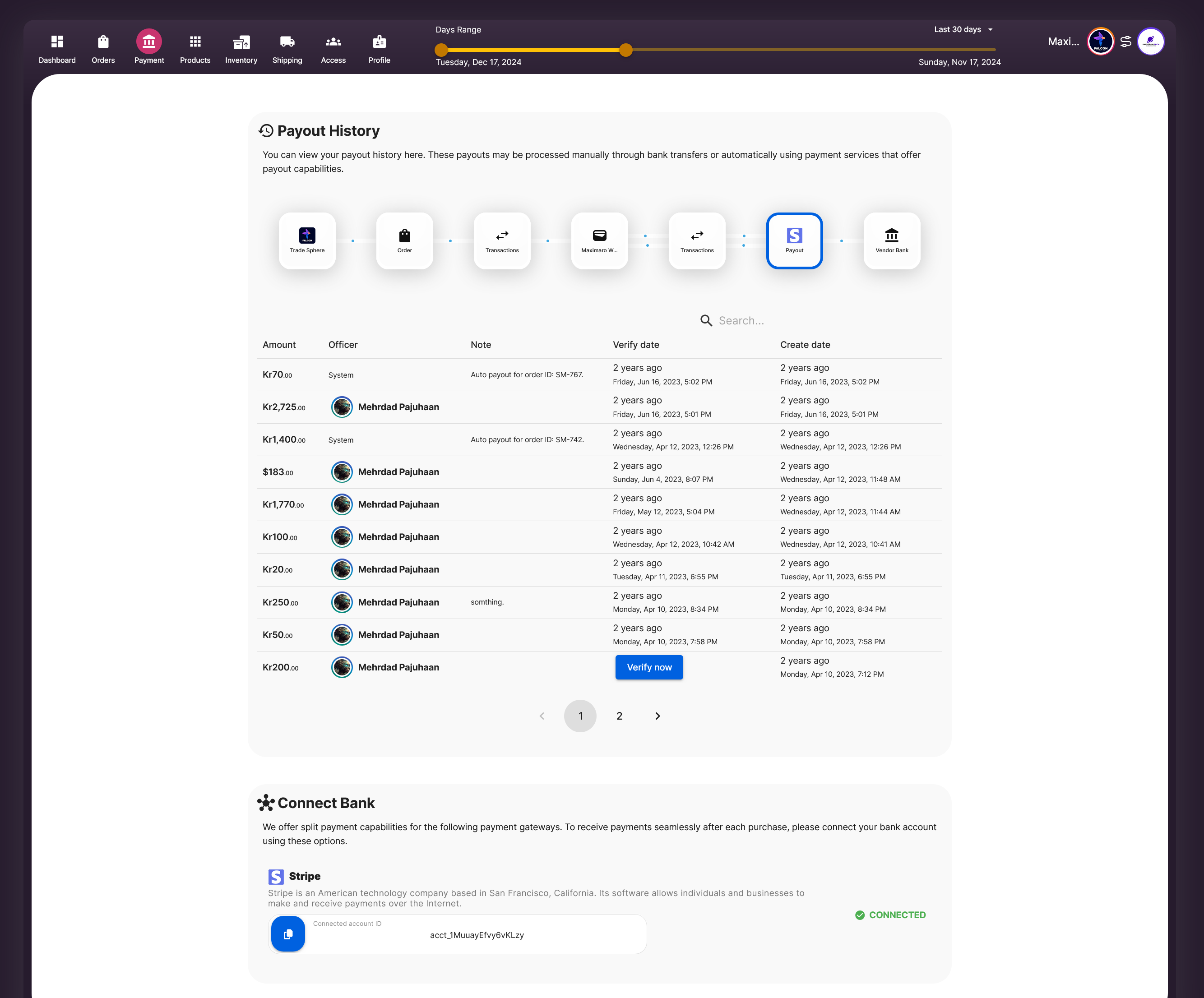
History of transaction records in the vendor panel, showing all wallet activities.
要详细查看付款和逆转转账,他们可以转到供应商面板 > 控制面板 > 我的钱包并点击“显示详细信息”。
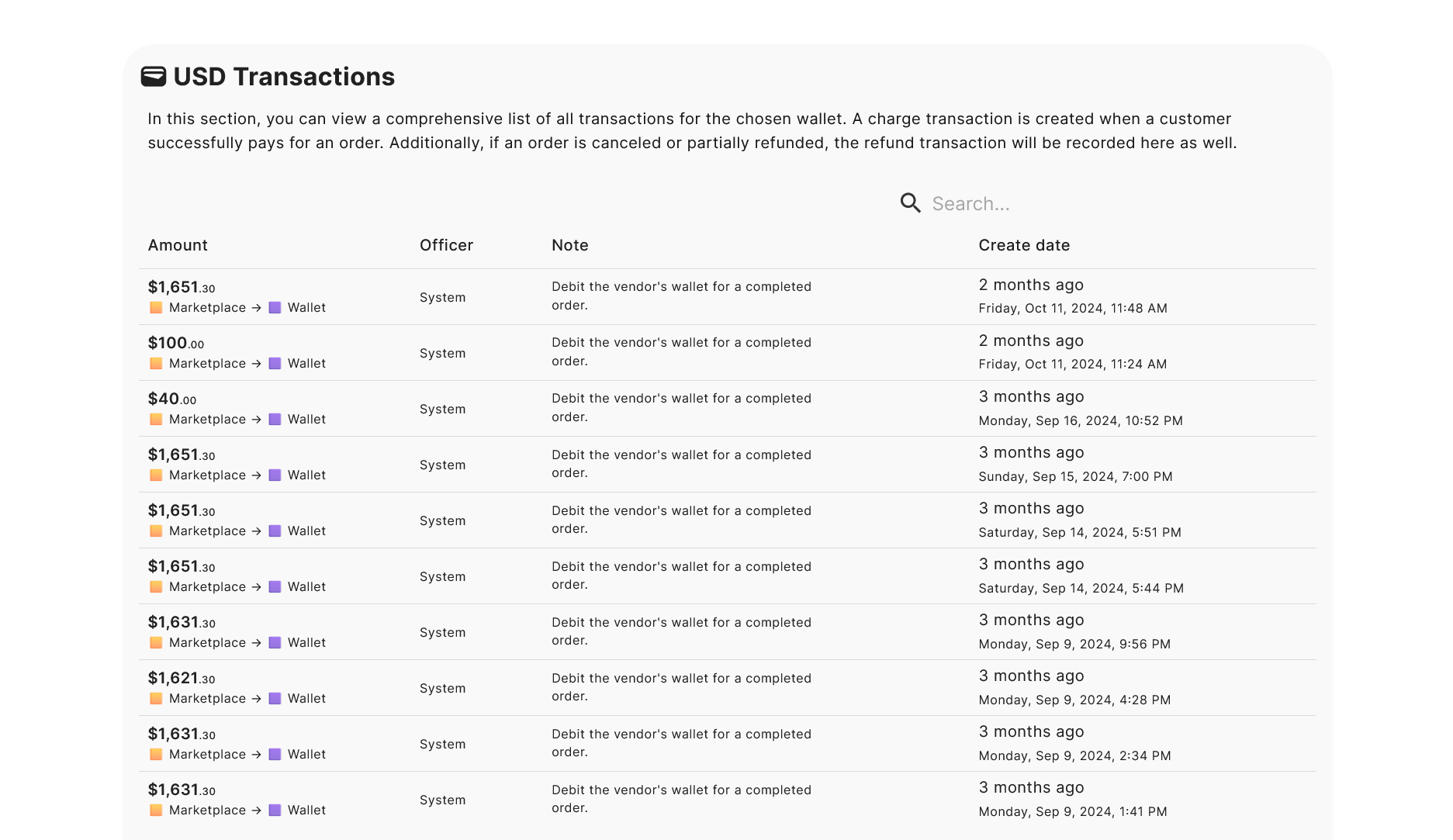
History of payouts and reversal transactions in the vendor panel, displaying detailed records of fund transfers.
就是这样! Selldone 简化了多供应商的会计和付款,为您和您的供应商提供了安心。下载供应商付款手册。
首先,与其他平台不同,Selldone 不会收取您的收入或限制您处理付款的方式。您有两个主要选项:
- 自动向供应商付款:自动分配客户付款并直接发送给供应商(例如通过 Stripe Connect)。
- 手动向供应商付款:您可以自己向供应商付款,例如通过 Stripe Connect 或普通银行转账。
自动支付给供应商
在自动模式下,您选择的付款方式必须支持高级支付选项。Stripe 完全支持这个功能,因此您需要添加Stripe 付款方式并启用Stripe Connect功能。(详细信息见下文。)多供应商市场付款是如何工作的
- 客户为订单付款:当客户完成购买时,款项会进入您的 Stripe 账户(或您使用的其他付款方式)。
- 订单和履行:在您的市场中创建一个主要订单(在您的订单选项卡中可见)。对于该订单中每个供应商的产品,会创建一个单独的履行。供应商可以在他们的供应商面板 > 供应商选项卡中查看这些信息。
- 供应商钱包信用:Selldone 为每个供应商创建一个虚拟钱包(第一次需要时)并将他们的付款部分存入该钱包。这是为了会计目的——现在不会发生实际的资金流动。
- Stripe Connect 转账:如果启用了 Stripe Connect,并且供应商已将其 Stripe 账户连接到您的 Stripe Connect,Selldone 会自动将供应商的份额转账到他们的 Stripe 账户。如果没有,它只是保留了会计记录。
- 必要时的手动付款:如果供应商未连接到 Stripe,您可以稍后通过 Stripe Connect 或银行转账手动转移资金。手动付款涉及您在 Selldone 外发送资金,然后记录以确保准确的簿记。
一个自动付款示例
通过 Stripe 支付的订单:Selldone 为供应商创建履行。
因为供应商之前连接了他们的 Stripe 账户,所以 Selldone 会自动将 70DKK 从您的 Stripe 账户转账到供应商的 Stripe 账户。您将看到一条 -70DKK 的付款记录,这显示资金从他们的虚拟钱包中流出(会计)并转移到他们的 Stripe 账户(实际资金)。
如果某些商品被取消怎么办?
如果商品被取消,首先在订单的付款部分选择“退款订单”。(您可以在前面的图片中看到这个按钮。)此退款操作仅在虚拟钱包层面起作用——现在不会发生实际的资金流动。这纯粹是为了会计目的。多供应商市场的会计可能会很复杂,但 Selldone 让它变得简单,几乎就像奇迹一样!
手动付款
手动付款很简单:您在系统外向供应商转移资金(例如,通过银行转账或现金),并在 Selldone 中进行记录,以便会计保持准确和更新。要做到这一点,请转到 商店仪表板 > 市场 > 付款 并点击 充值供应商账户。
市场中的“钱包”选项卡是什么?
钱包选项卡显示供应商虚拟钱包中的所有交易。如果某个交易是由履行生成的并且尚未付款,您会在旁边看到一个付款按钮。重要:您市场中的供应商虚拟钱包与 Selldone 中的用户钱包是分开的。它们没有关联。
设置 Stripe
为了实现自动付款和方便的手动转账,您需要配置 Stripe。您的业务模式应设置为“多供应商市场”以使用这些功能。要了解更多详细信息,请查看使用 Stripe Connect 在您的多供应商市场自动处理供应商付款的 5 个简单步骤.
进入 商店仪表板 > 会计 > 网关,然后在网关设置 > 市场自动入驻和付款中启用市场功能。
您必须手动输入您的公共和私有 Stripe 密钥。您不能使用 Selldone 自动生成的 Stripe Connect 密钥。从您的 Stripe 账户中获取这些密钥。
步骤 1 | 添加 OAuth 重定向
在 Stripe Connect 设置中启用 OAuth 登录。我们使用该 URL 来引导您的供应商。您可以在 Selldone 账户的 Stripe 网关设置中查看您的商店回调 URL。步骤 2 | 设置客户端 ID
输入您的客户端 ID(在 Stripe > 设置 > 连接设置中向下滚动后找到)。将其粘贴到 Selldone 中的指定字段中。步骤 3 | 检查密钥
您已启用 Stripe Connect,因此请确保已输入公共和私有密钥。您可以在Stripe > 开发人员 > API 密钥中找到它们。重要提示:
- 如果您的 Stripe 账户由其他服务(包括 Selldone)管理,则无法使用 Connect。您必须直接在 Stripe 仪表板中创建一个新的 Stripe 账户。
- 如果您有其他的 Stripe 网关,请启用“连接模式”,并为每个网关使用相同的客户端 ID。
付款 | 设置手动
设置您的 Stripe 付款为“手动”,以保留对您的资金和供应商付款的控制。要做到这一点,请转到Stripe > 设置 > 外部付款账户和调度。
供应商面板付款记录
供应商可以在他们的面板中查看完整的交易和付款历史。他们可以通过访问供应商面板 > 付款查看他们虚拟钱包中的每一笔交易。 添加评论
添加评论
FAQ
如何在 Selldone 中启用自动供应商付款?
要启用自动付款,您应当:
- 步骤一:在商店仪表板 > 设置 > 商业模式中,将您的商业模式设置为“市场”。
- 步骤二:添加并配置 Stripe 付款方式。
- 步骤三:启用 Stripe Connect,以允许直接转账到供应商账户。
我需要一个单独的 Stripe 账户用于供应商付款吗?
是的,对于 Stripe Connect,您必须:
- 创建一个新的 Stripe 账户:您不能使用其他服务管理的账户。
- 获取 API 密钥和客户端 ID:将这些详细信息输入到 Selldone 的 Stripe 网关设置中。
- 设置付款模式为手动:控制您的分配并确保正确的会计。
供应商能在自己的仪表板上跟踪他们的付款历史吗?
绝对可以!供应商可以:
- 查看交易历史:在供应商面板 > 付款中查看虚拟钱包活动。
- 检查付款和逆转:在供应商面板 > 控制面板 > 我的钱包中查看详细记录。
- 监控履行情况:访问履行订单以了解收入是如何计算的。